


How can I do a virus scan on my iPhone? Measures & prevention

Last updated:7月 23, 2024
Table of content
In reality, you may accidentally click on an unfamiliar link or get scammed, thus putting your phone at risk of being hacked. At this time, you want to do a virus scan on your iPhone, so how can you do it? Let's take a look!
Part 1. Perform a virus scan on iPhone
iPhones do not have a built-in antivirus feature like traditional antivirus software found on other platforms. But iOS is not susceptible to viruses. If you want to perform a virus scan on your iPhone, you can do it like this:
Method 1. Update iOS
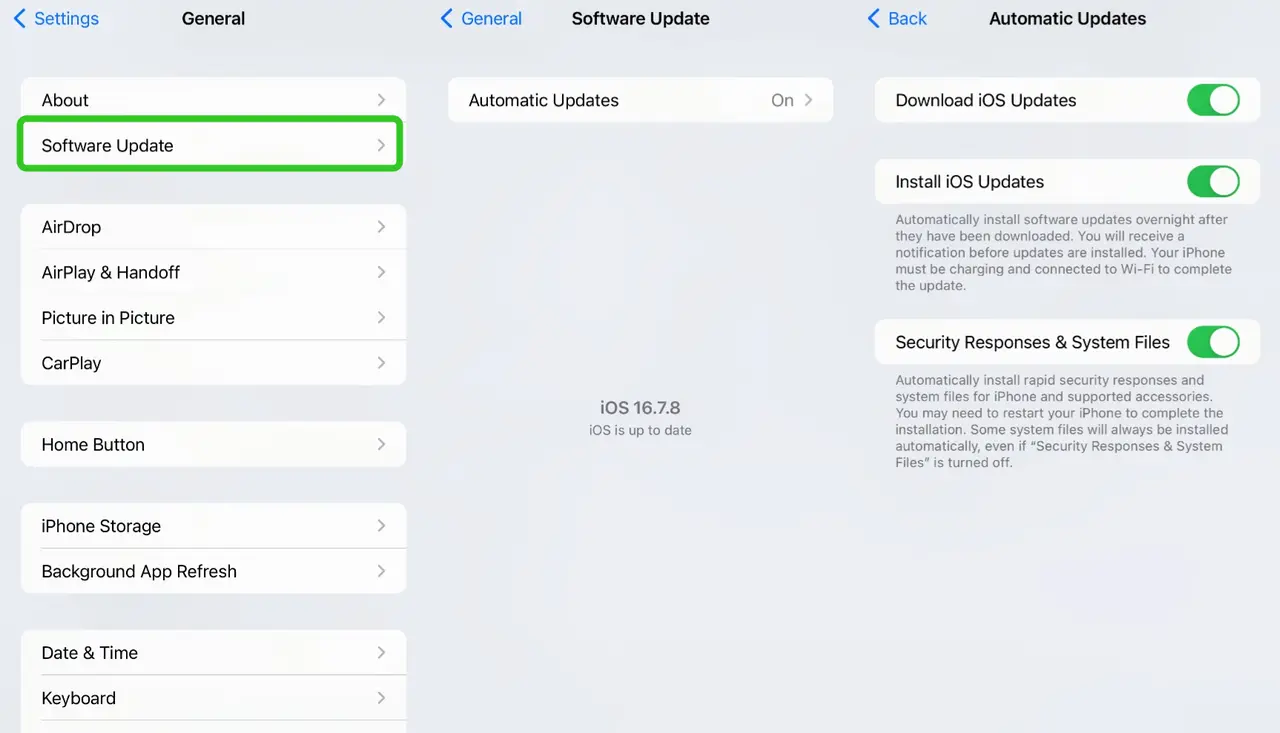
Ensure your iPhone is running the latest version of iOS. Apple frequently releases updates that include security patches.
- Go to Settings > General > Software Update.
- If an update is available, download and install it.
Method 2. Review Installed Apps
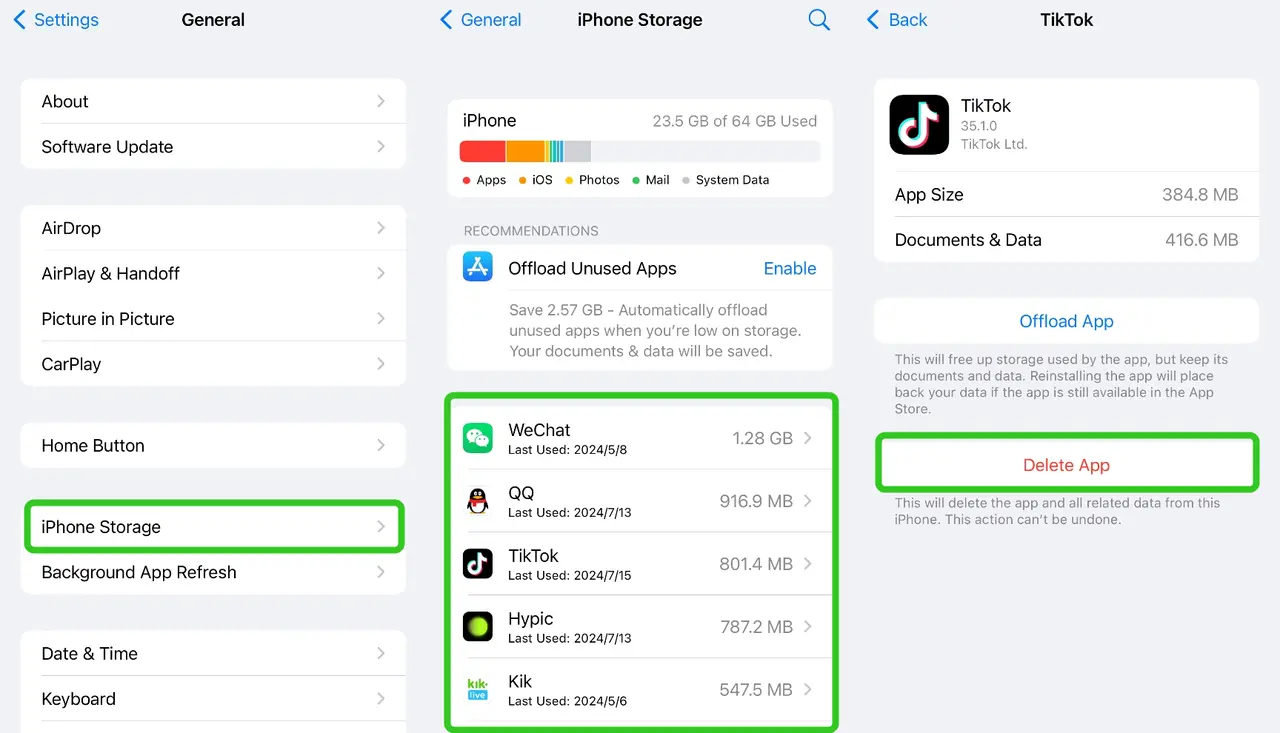
Check your installed apps for anything unfamiliar or suspicious.
- Go to Settings > General > iPhone Storage.
- Look for apps you don't recognize and delete them by tapping the app and selecting Delete App.
Method 3. Install a Security App
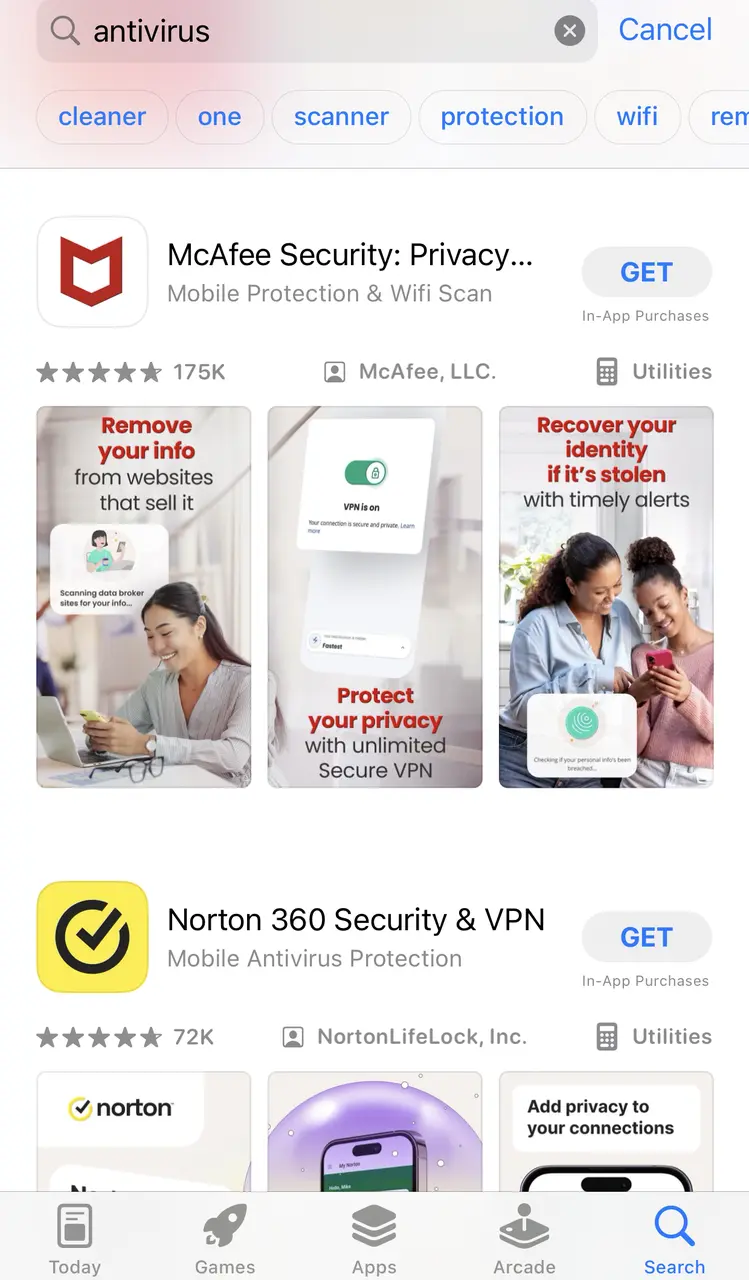
Although iPhones are generally secure, you can install reputable security apps from the App Store to add an extra layer of protection. Some recommended apps include:
- Avast Security & Privacy
- Norton Mobile Security
- McAfee Mobile Security
- Lookout Mobile Security
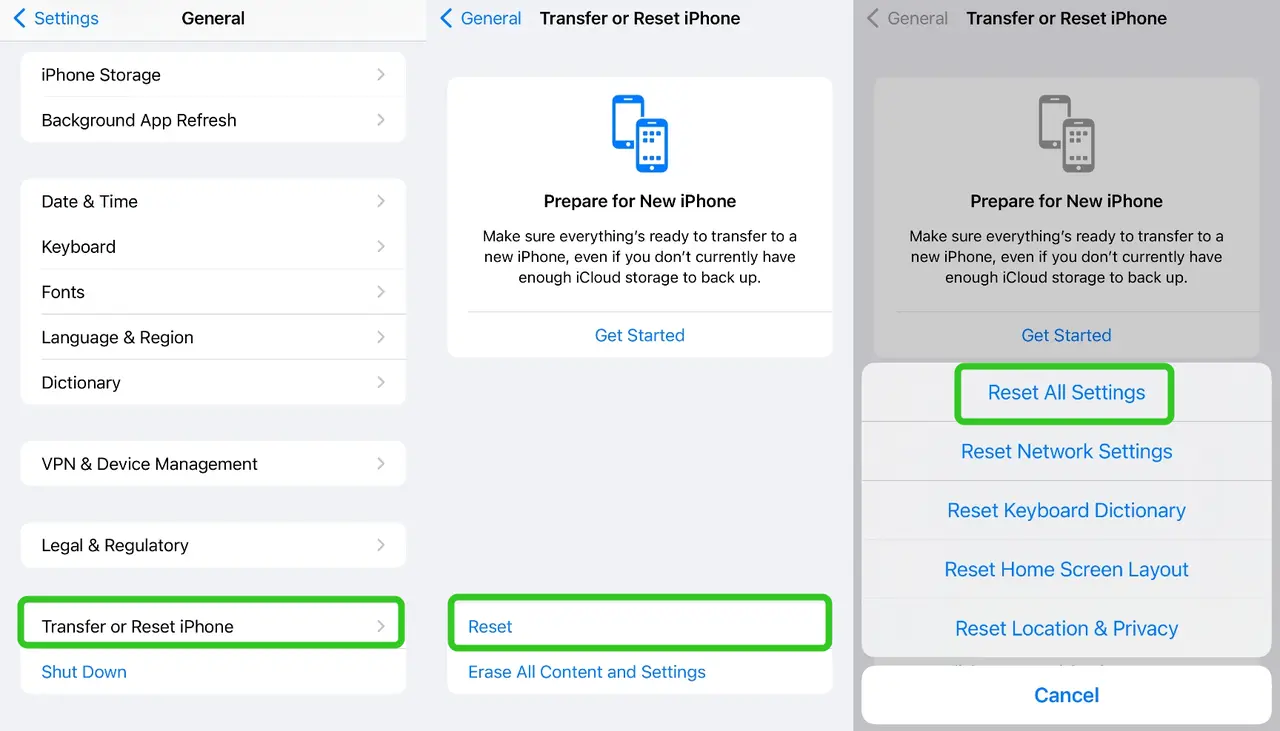
Method 4. Reset Settings
If you suspect your iPhone has been compromised, you can reset all settings without erasing your data.
- Go to Settings > General > Reset > Reset All Settings.
Method 5. Restore iPhone
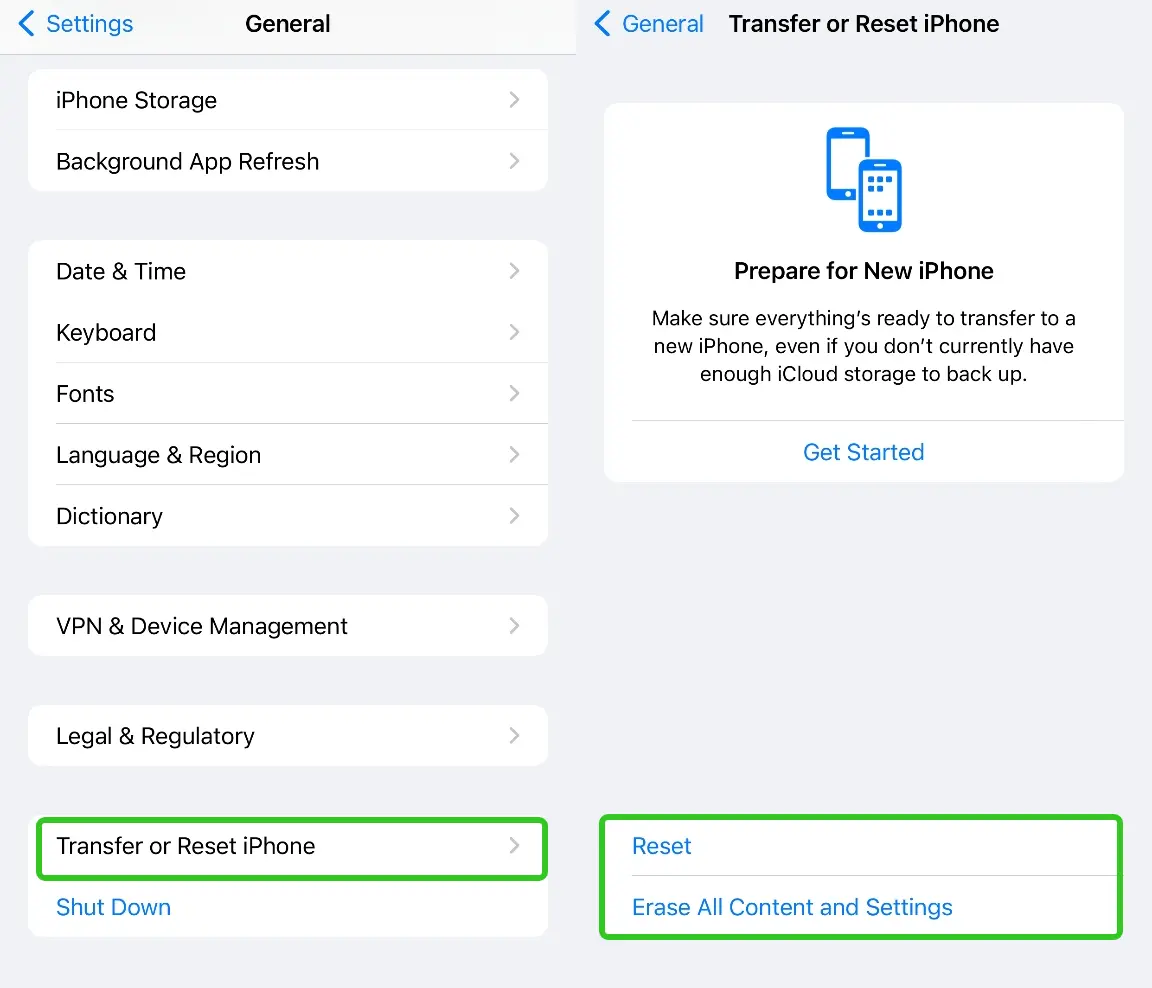
As a last resort, you can restore your iPhone to factory settings. This will erase all data and settings, so ensure you have a backup.
- Go to Settings > General > Reset > Erase All Content and Settings.
Follow the prompts to complete the process and then restore your data from a backup.
Part 2. Key security features of iOS
Although iPhone does not have a built-in antivirus feature. However, the iOS operating system has robust security measures designed to protect against malware and other security threats. Here are some key security features of iOS:
- App Store Review Process: Every app submitted to the App Store undergoes a strict review process by Apple to ensure it is safe and free from malware.
- Sandboxing: Each app runs in its own sandbox, which prevents it from accessing data from other apps or the system without explicit permission. This limits the potential damage from malicious apps.
- Automatic Updates: iOS devices regularly receive updates that include security patches and improvements, keeping your device protected from newly discovered threats.
- App Permissions: iOS requires apps to request permission before accessing sensitive data or system features, giving you control over what each app can access.
- Find My iPhone: This feature allows you to locate, lock, or erase your iPhone remotely in case it is lost or stolen, protecting your data from unauthorized access.
- Face ID/Touch ID: Biometric authentication adds an extra layer of security to your device, ensuring that only you can unlock it.
Part 3. Good behavior to protect your iPhone from virus
While these security features of iOS provide a high level of security, it is always good to practice safe behavior, such as:
- Only downloading apps from the App Store.
- Keeping your device updated.
- Avoiding suspicious links and email attachments.
- Using strong, unique passwords for your accounts.
- Do not jailbreak your iPhone, as it removes built-in security features and exposes your device to malware and other threats.
- Connect to trusted Wi-Fi networks and avoid using unsecured public Wi-Fi without a VPN.
More Articles Like This
